Cart Template (Multi-Use)
Create reusable cart templates perfect for social media
Best For:
Social media posts and campaigns where you don't know the recipient - perfect for public sharing
Key Features:
- • Multi-use link - Can be shared with multiple people
- • Perfect for social media - Facebook posts, Instagram bio, Stories, Reels
- • Named templates - Give your cart template a descriptive name
- • ANY Market - Select any enrollment country with local products
- • Reusable - Same link works for all prospects in the selected market
How It Works
- Access "Create a Cart Template (multiple use)" in your dashboard
- Select Country of Enrollment (any available market)
- Enter Template Name (e.g., "Energy Starter Pack", "Kids Health Bundle")
- Add Template Description (optional)
- Select Membership Type: Customer or Brand Partner
- Add products to your cart template
- Copy the URL and share it on social media, bio links, or anywhere publicly
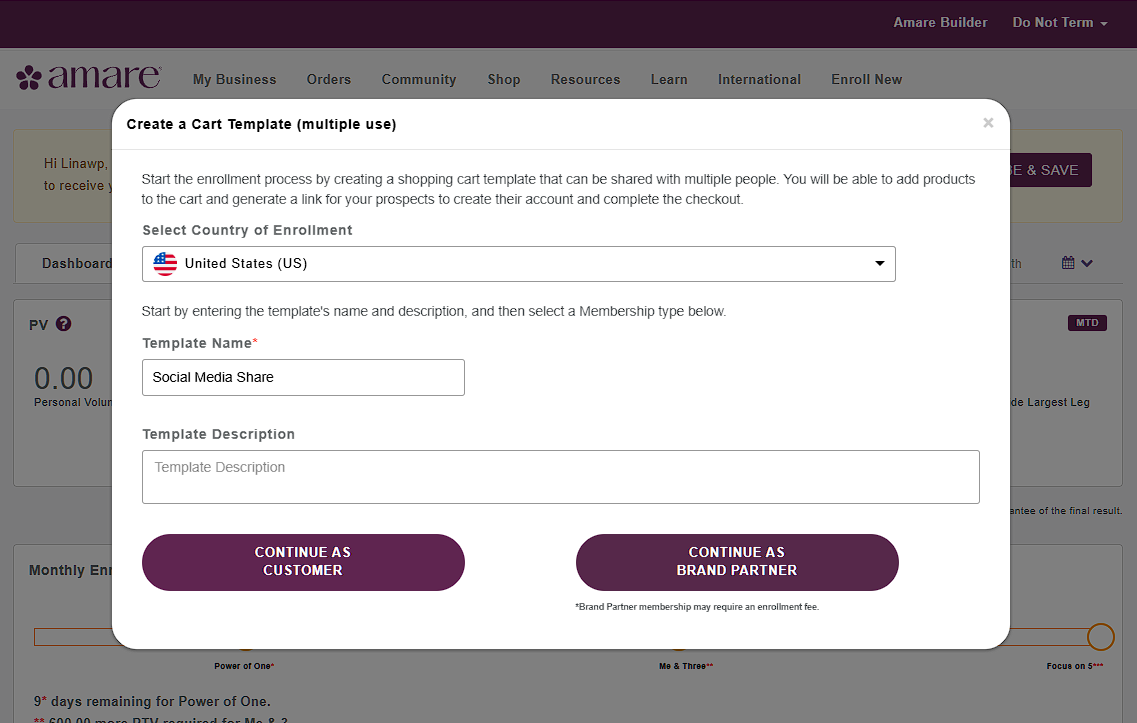
Step 1: Create Cart Template Form
Form with country selector, template name, description fields, and customer/brand partner buttons
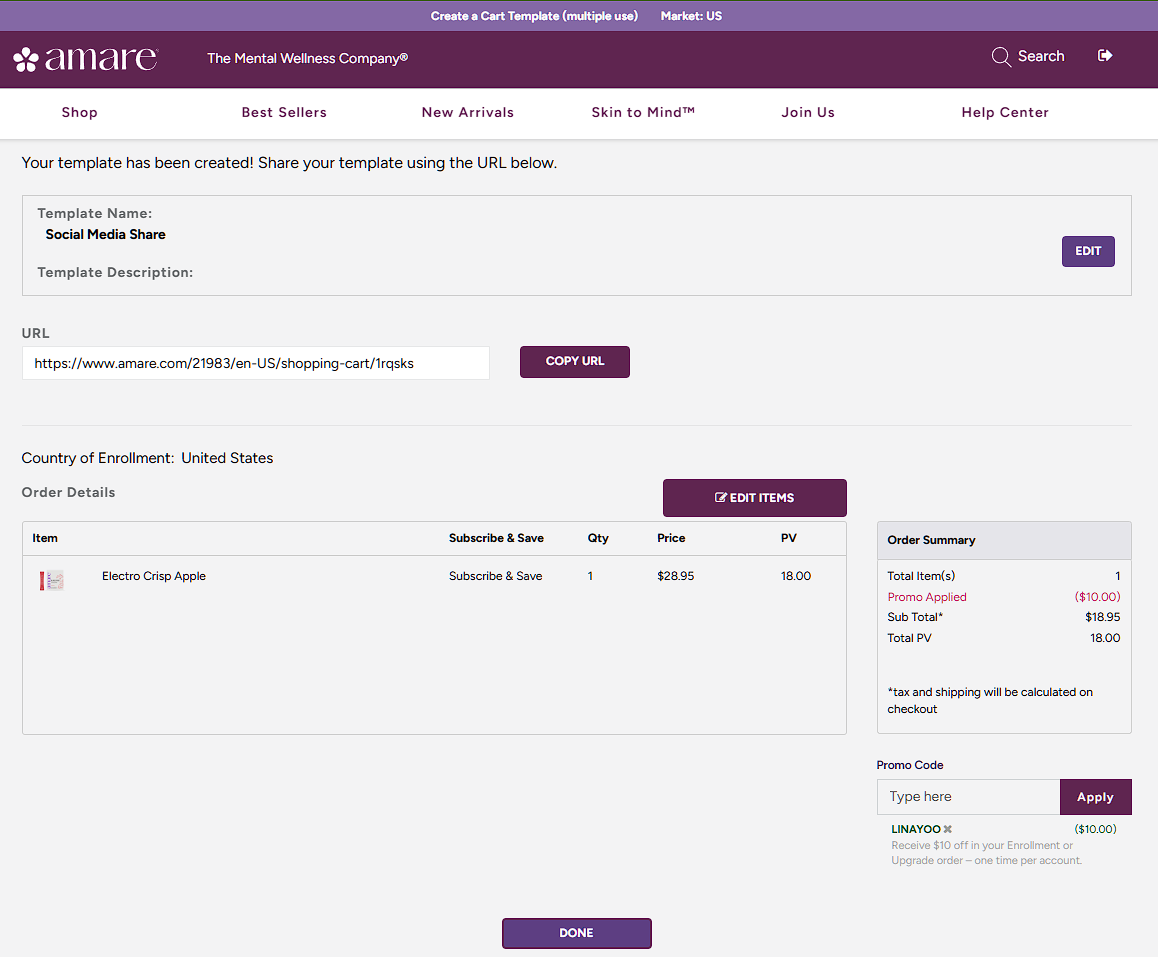
Step 2: Template Created with URL
Final page showing template name, description, shareable URL with copy button, and order details
Perfect For Social Media:
- • Instagram bio link or link-in-bio tools (Linktree, Beacons, etc.)
- • Facebook post captions with product recommendations
- • Instagram Story swipe-up links (if eligible) or story highlights
- • Reels descriptions and comments
- • YouTube video descriptions
- • Email newsletters and broadcast messages
Ready to Share?
Create reusable cart templates for your social media, or explore other sharing methods.